Player's guide
Random New World
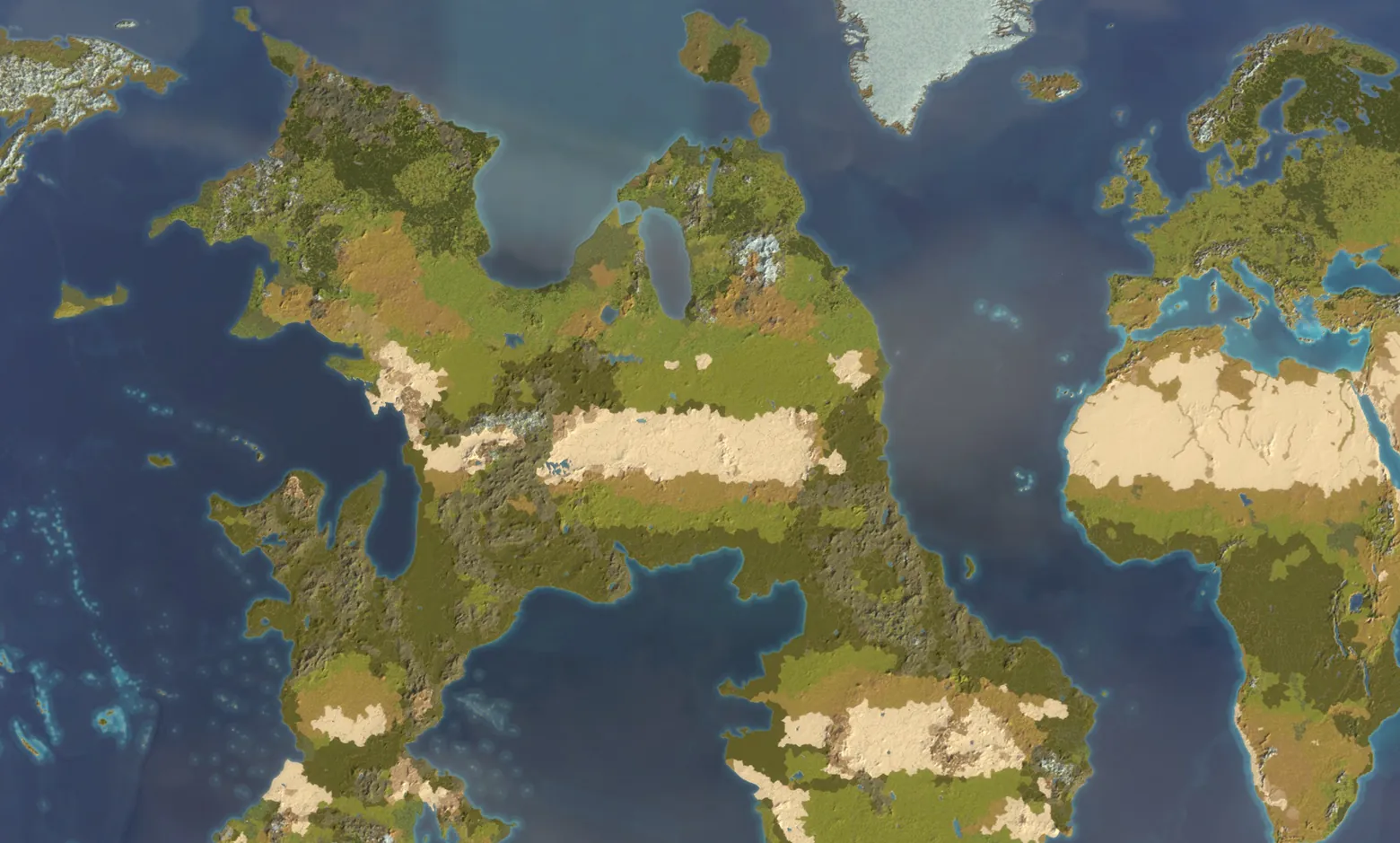
Replace the Americas with a new world for your next EU5 campaign. Sail west into unknown waters, or lead one of its native countries. The Old World stays vanilla.
- Generator 1.1.0
- EU5 1.4.*
- 11 languages
Your first world in four steps
The default settings are enough for a first campaign. Everything else on this page can wait.
Open the generator
In EU5, open Mods & DLCs, find Random New World (RNW) and click Open folder. Launch Random New World Generator from that folder.
Once the generator is open, you can close EU5 to free memory.
Choose a world
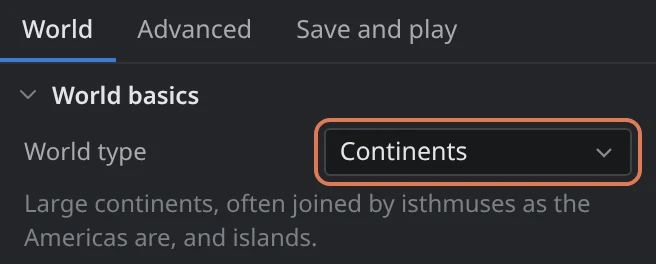
Click New world and pick a World type on the World tab. Continents is a good first choice. Leave the rest as it is, or paste a friend's World code.
Generate it
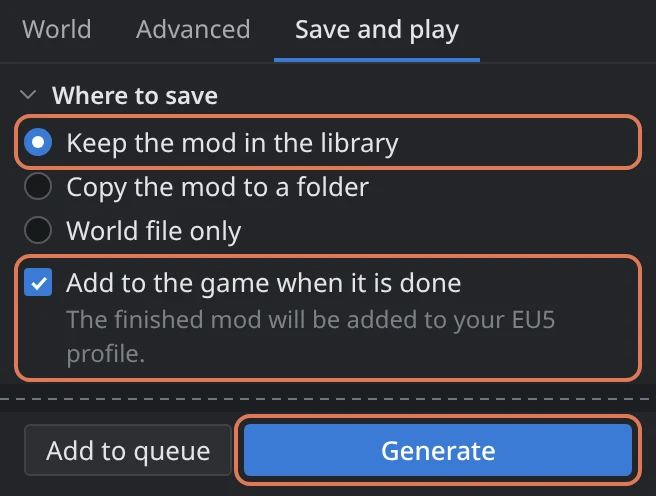
On Save and play, keep Keep the mod in the library and tick Add to the game when it is done. Click Generate and wait a few minutes.
Generation needs about 7.5 GB of free RAM.
Enable it and play
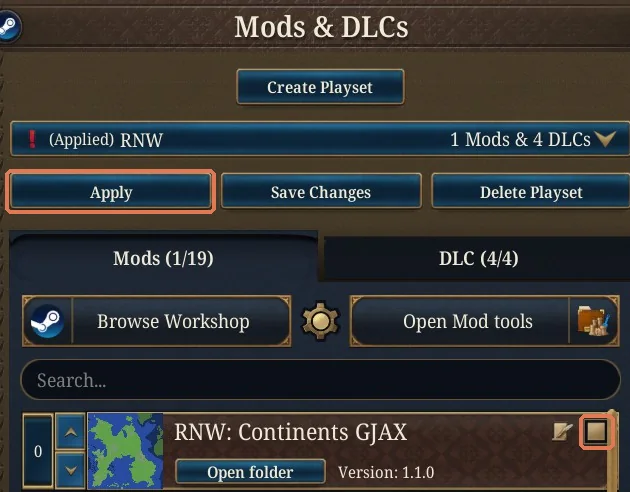
In Mods & DLCs, tick your new world, for example RNW: Small continents 7K3Q, click Apply and start a new 1337 campaign.
Leave Random New World (RNW) itself unticked: it only holds the generator. Your world mod contains everything the campaign needs.

Before you play
A generated map is a mod like any other, with a few rules of its own.
New campaigns only
A map cannot be added to a running campaign. Start a new game in 1337.
One world at a time
Tick only the world you are playing. The generator item stays unticked.
Restart to switch
Close EU5 completely before you play another world or replace a loaded one. Switching in one session can mix the maps and crash the game.
Keep the mod with its saves
Keep each campaign's world mod and its EU5 version. A world code is a recipe, not a backup: another game or generator version can make a different world from it.
World types
A world type is a starting set of settings. Choose the shape you like, then adjust it on the World tab or in Advanced.
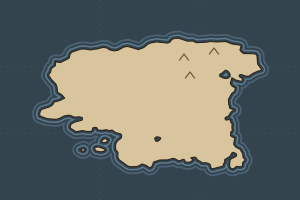
Supercontinent
One great landmass across the New World, with a few islands.
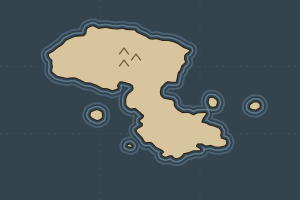
Continents
Large continents, often joined by isthmuses as the Americas are, and islands.
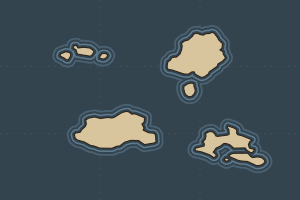
Small continents
Three or four separate continents of similar size.
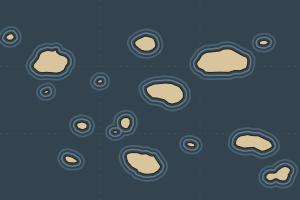
Archipelago
Five to eleven large islands and many small ones: a world of ships.
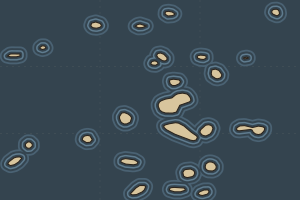
Scattered islands
A sea full of small islands, with no great landmass.
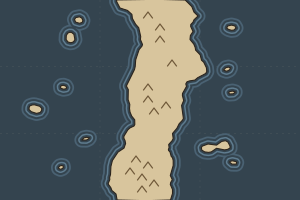
The Wall
A straight north-south continent with a mountain spine and side land. Procedural shores may form islands and narrow straits when gaps are allowed.
- Random One of the world types, drawn at random when chosen and at each press of Random. The Advanced values are those of the type drawn.
- Total Chaos A world type drawn at random when chosen, and every Advanced value drawn at random within its playable range.
With Allow gaps in the wall turned off, the Wall becomes one continuous barrier that ships can neither cross nor sail around.
Make it yours
Every value still makes a playable world. These are the controls worth knowing; Reset all to the world type undoes your changes.
- Seed and World code
- The seed picks the world, and Random draws a new one. A world code holds the seed and every setting: copy it to share a world, paste one to make it. The same code makes the same world with the same generator release and game files.
- Choose a continent
- Shows six land sketches before you build a whole world. Pick one to take its seed and settings. Sketches reveal the land, and the final coast can still shift a little.
- Your own continent
- Save template gives you an image of the area to fill. Paint land white and sea black, then load it with Land from an image. Relief, rivers and peoples are generated on your outline.
- Expand generation into the oceans
- On by default: continents get room beyond the old outline of the Americas. Raise Distance from the Old World in Advanced to move the land toward the middle of the ocean.
- Native societies
- Native states on the World tab is the quick choice. In Advanced, Land in states sets how much inhabited land states hold (3–60%), and Peasant share caps the share of peasants in a settled location (30–80%). Poor farmland stays more tribal.
- Resources
- In Advanced, each resource has its own frequency: 1× is the base game, 0 removes it. More of one leaves fewer locations for the others. Climate and terrain still decide where each one can appear.
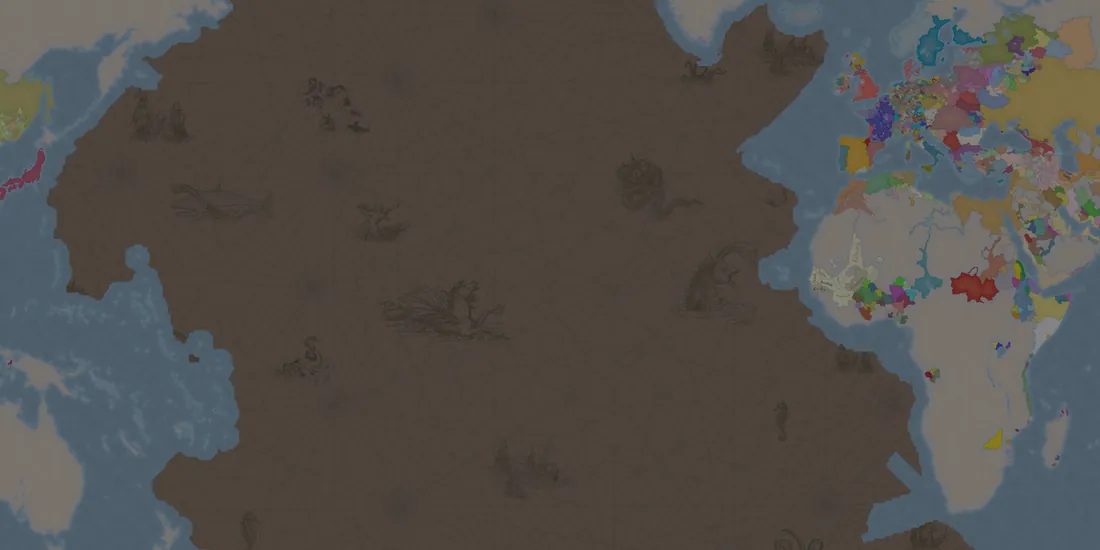
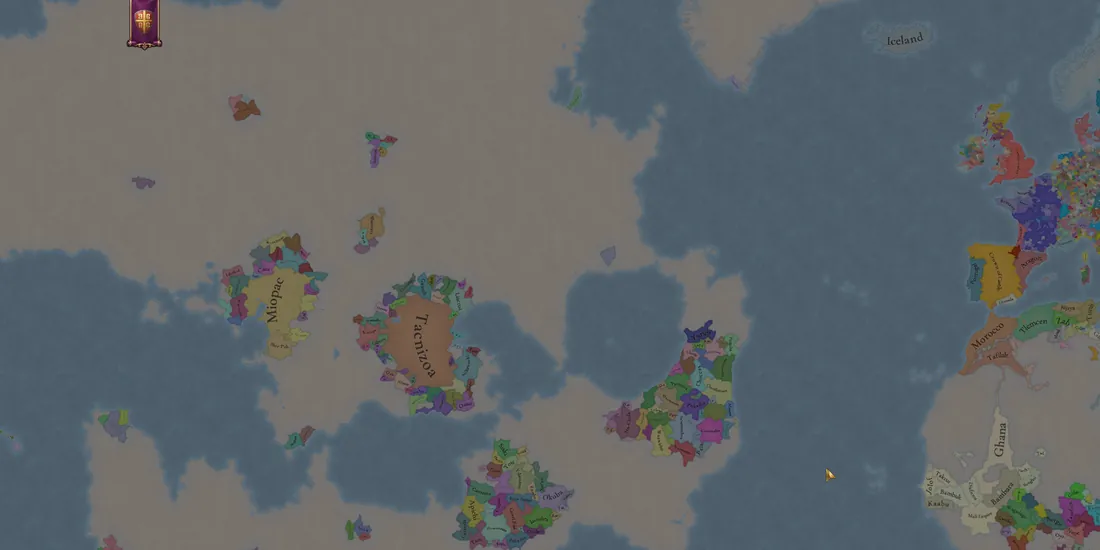
Your worlds
Everything you generate stays in the generator's library, with its code, maps and notes.
- Create a version
- Select a finished world. New peoples makes new countries, cultures and religions on the same land; New resources draws only the resources again. The earlier version stays in the library.
- Several worlds in a row
- Add to queue keeps the current settings as a job, and Run queue makes the worlds one after another. You can add more while one is generating.
- Share a world
- Send the world code, or Save world file for a
.rnworldfile with its maps and notes. Your friend makes the playable mod from it with their own game. - Move a world between your computers
- Transfer built world saves the whole built mod as a
.rnworld-modfile to carry to another of your computers. Both need the same game version. - Clean up
- Remove takes worlds out of the game and keeps their records. Delete deletes them for good.
Compatibility
- Game version
- EU5 1.4.*. New patches of the 1.4 branch usually work without a generator update; last fully verified on 1.4.7.
- Saves
- New campaigns only. Updating the generator does not change existing worlds or their saves.
- Across the Pillars
- Supported and optional. New World expeditions and treasure fleets use the generated map.
- Refined Colonization
- Compatible. Load order: Refined Colonization first, then your world mod.
- Multiplayer
- Supported and tested by the community. Every player needs the same game version, world mod and other mods.
- Ironman and achievements
- Work under the standard game rules.
- Map overhauls
- Mods that replace the Americas conflict with RNW. Other combinations are untested.
- System
- Windows, or Linux and Steam Deck through Proton. macOS is not supported.
If something goes wrong
The generator cannot find EU5
Open Settings and choose the missing folder. If you have never started EU5, launch it once so that it creates its profile, then reopen the generator.
Not enough memory
Generation needs about 7.5 GB of free RAM, and EU5 can hold most of 16 GB even in its main menu. Close EU5 once the generator is open, or start the generator without the game: it lives in Steam's steamapps/workshop/content/3450310/3829217331 folder.
The window is blank or draws badly
Open Settings, select Use the classic window and start the generator again. If the window does not open at all, start the launcher with --classic.
A plainer window opened instead
That is the classic window, and it does everything the main one does. It opens by itself when the system has no WebView2 on Windows or WebKitGTK 4.1 on Linux, as in EU5's usual Proton setup.
Generation stopped with an error
Read the message: it says whether the trouble lies with game files, a destination, the settings or the map. Some seeds and settings cannot make a valid world; Generate with a new seed tries another.
Windows or an antivirus blocks the generator
The generator is not code-signed, so Smart App Control or an antivirus may object. It needs no administrator rights. The release notes list the scan results of every file; please report a block on GitHub.
The mods menu still shows the old map picture
Close and reopen the mods menu from EU5's main menu. A changed world itself needs a full restart of the game.
Where are my worlds kept?
In a library outside the mod folders, so every copy of the generator sees the same worlds. Windows: %LOCALAPPDATA%\RandomNewWorld. Linux: ~/.local/share/random-new-world. Proton: the Windows location inside EU5's Proton prefix.
I found a bug
Open an issue on GitHub with your world code. Save diagnostics in Settings packs the generator's logs into one file to attach; nothing is sent anywhere by itself.